Electric Scooter Software Updates Explained: Connected Features, App Controls and What Updates Really Change
Key Takeaways
- Updates can refine throttle, braking and range estimation
- Updates cannot increase battery size or motor power
- Remote charge status and location are often the most useful connected features
- Check app permissions and remove your account before selling
- Update with charge and signal, then take a short test ride
Electric Scooter Software Updates Explained: Connected Features, App Controls and What Updates Really Change
When you buy a modern electric scooter, you are not just buying a motor and a battery. You are also buying software. Many scooters now come with a mobile app, a digital dashboard and a connection to the internet, and the manufacturer can change how the scooter behaves by sending a software update. For a first-time buyer, this can feel strange. A scooter used to be finished the day it left the showroom. Today, it can gain a feature, lose a quirk or behave slightly differently after an overnight update.
That is not automatically good or bad. Software updates can fix bugs, improve the accuracy of the range display and add useful features. They can also introduce confusion if a familiar control moves or a setting resets. The trick is to understand what an update can and cannot change, which connected features are actually useful day to day, and how to update safely so a routine improvement does not leave you stranded.
What a Software Update Can Actually Change
A software update is a new version of the program that runs the scooter's dashboard, motor controller and connected features. It cannot change the size of the battery, the power of the motor or the physical brakes, but it can change how those parts are managed. For example, an update might smooth out throttle response so acceleration feels less jerky, refine how regenerative braking works, or correct a range estimate that was too optimistic at low charge.
Updates can also fix display problems, such as a trip meter that resets unexpectedly, a clock that drifts, or a warning light that appears for no reason. In some cases they add features the scooter did not have at launch, like a new ride mode, a quieter reverse alert or better Bluetooth pairing. Manufacturers describe these changes in release notes, though the notes are sometimes brief. If an update mentions improved battery management or thermal control, it is worth reading carefully, because those changes affect how the scooter protects its battery in heat or after fast charging.
What an update cannot do is turn a small battery into a large one, or make a scooter faster than its hardware safely allows. Be sceptical of any claim that an update alone will dramatically increase range. Real range gains come from riding style, tyre pressure, load and weather, not from a software patch. A modest improvement in estimation or efficiency is plausible; a sudden transformation is not.
Connected Features Worth Using
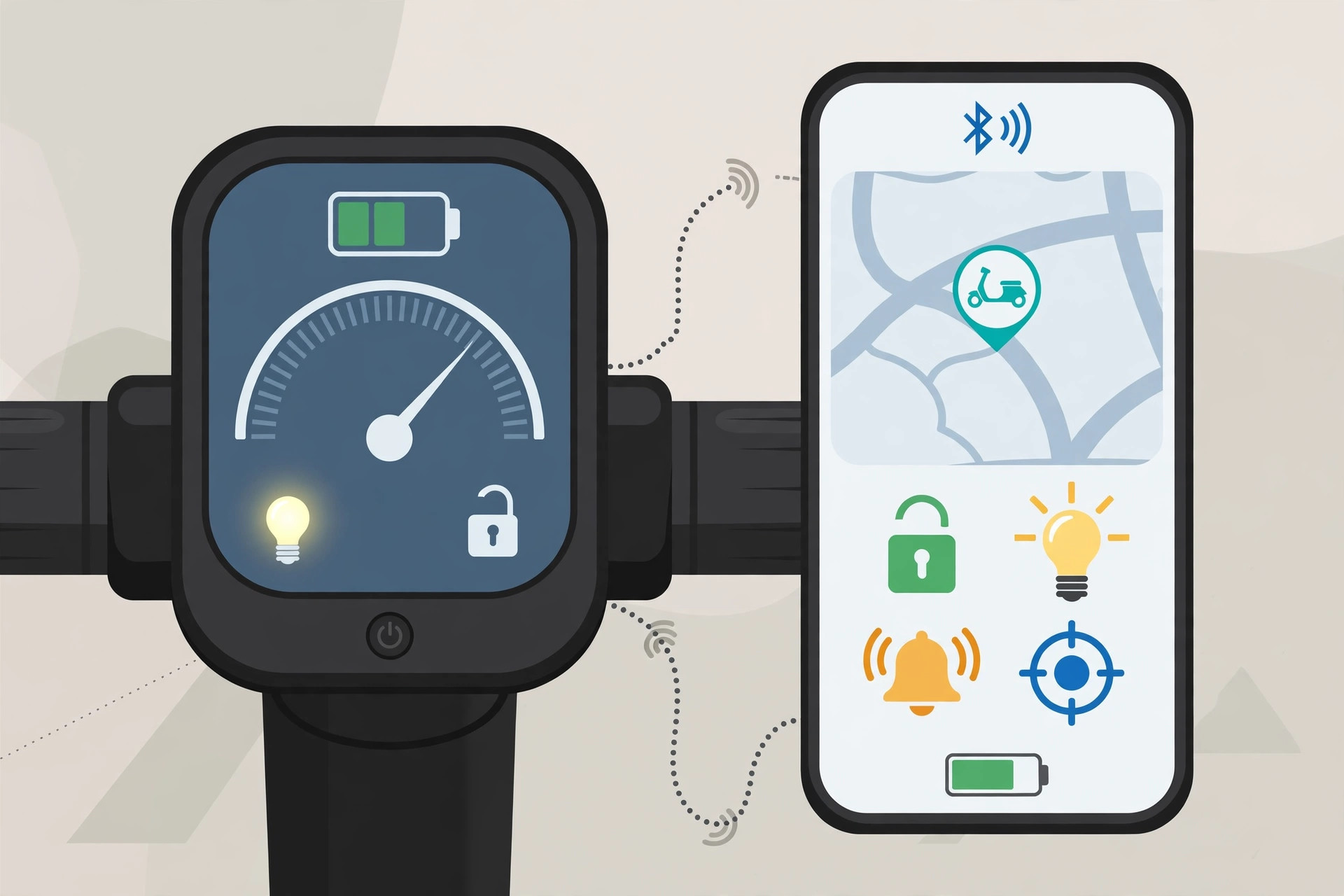
Connected features are the scooter's link to your phone and, sometimes, to the manufacturer's servers. The most useful ones are usually the simplest. Live location and ride history help you remember where you parked in a crowded market or check how far you rode last week. A digital key or phone-based unlocking can be convenient, though it is wise to keep the physical key or PIN method working as a backup. Remote charge status is genuinely helpful: checking from home whether the scooter is at 40 percent or 90 percent saves an unnecessary trip to the parking area.
Geo-fencing and theft alerts sound impressive, but their value depends on your situation. If you park in a shared basement or on a street, an alert when the scooter moves without your key can give early warning. Trip statistics, by contrast, interest many riders for only a short time. Judge connected features by whether they solve a problem you actually have, not by how many are listed in a brochure.
Navigation on the dashboard is another feature to test before you rely on it. Some systems show turn-by-turn directions clearly, while others are hard to read in sunlight or slow to reroute in traffic. If you already use your phone for navigation, a scooter screen may add little. The best approach is to try each feature for a few real rides, keep the ones that help, and switch off notifications from the rest.
App Controls, Permissions and Privacy
The companion app is where most settings live. Common controls include ride modes, regenerative braking strength, display brightness, sound alerts and scheduled charging reminders. Changing a ride mode is the setting most riders notice first. An eco mode usually softens acceleration and limits top speed, which can stretch range on a long commute. A sport mode does the opposite and will use more energy. Trying each mode on the same familiar route is the quickest way to learn what suits you.
App permissions deserve a moment of attention. An app may ask for location access, Bluetooth, notifications and sometimes contacts. Location is needed for live tracking and navigation, and Bluetooth is needed to pair with the scooter. Contacts, on the other hand, are rarely necessary for a scooter app, and you can usually refuse that permission without losing core features. Read what each permission is for before granting it, and review the app's privacy settings after setup. If you sell the scooter, remove your account from the app and unpair the scooter, so the next owner does not inherit your ride history or location data.
Keep the app updated too, but not blindly. After a major app update, re-check your settings, as they sometimes reset to defaults.
Updating Safely: A Practical Checklist
Before accepting a scooter software update, run through a short checklist. First, charge the battery to a comfortable level, ideally well above half, and park somewhere with a stable mobile or Wi-Fi signal. An update interrupted by a dead battery or a lost connection can leave the scooter in an uncertain state, so do not start one minutes before you need to leave for work. Second, read the release notes and any warning in the app, and note whether the update requires the scooter to stay parked for a while.
Third, avoid updating the night before an important long ride. If anything feels different afterwards, you want a short, familiar test ride first, not a high-stakes journey. After the update, check the dashboard, ride modes, brakes and throttle response in a quiet lane before joining traffic. If something seems wrong — a warning light that will not clear, a mode that cannot be changed, or a dashboard that freezes — contact the dealer or the manufacturer's support line rather than repeatedly restarting the scooter. Keep a note of the update version and date, because support teams almost always ask for it.
Finally, do not ignore updates forever. Skipping every update can leave known bugs unfixed and, in some cases, leave security issues open in the connected system. The sensible middle path is to update promptly when you have time for a test ride, and to delay only when you genuinely cannot afford a surprise that day.
Conclusion
Software updates and connected features are now a normal part of owning an electric scooter, not a gimmick to fear or a miracle to expect. An update can refine ride feel, fix display bugs and improve battery management, but it cannot rewrite the laws of physics or turn a small battery into a big one. Use the connected features that solve real problems, guard your app permissions, and update on your own schedule with a charged battery and a short test ride afterwards. Treated that way, the software side of your scooter becomes a quiet advantage — a vehicle that slowly gets a little better, without ever catching you by surprise.